
Organize your content.
Export short clips.
Fast native Mac app. Direct social media integration.
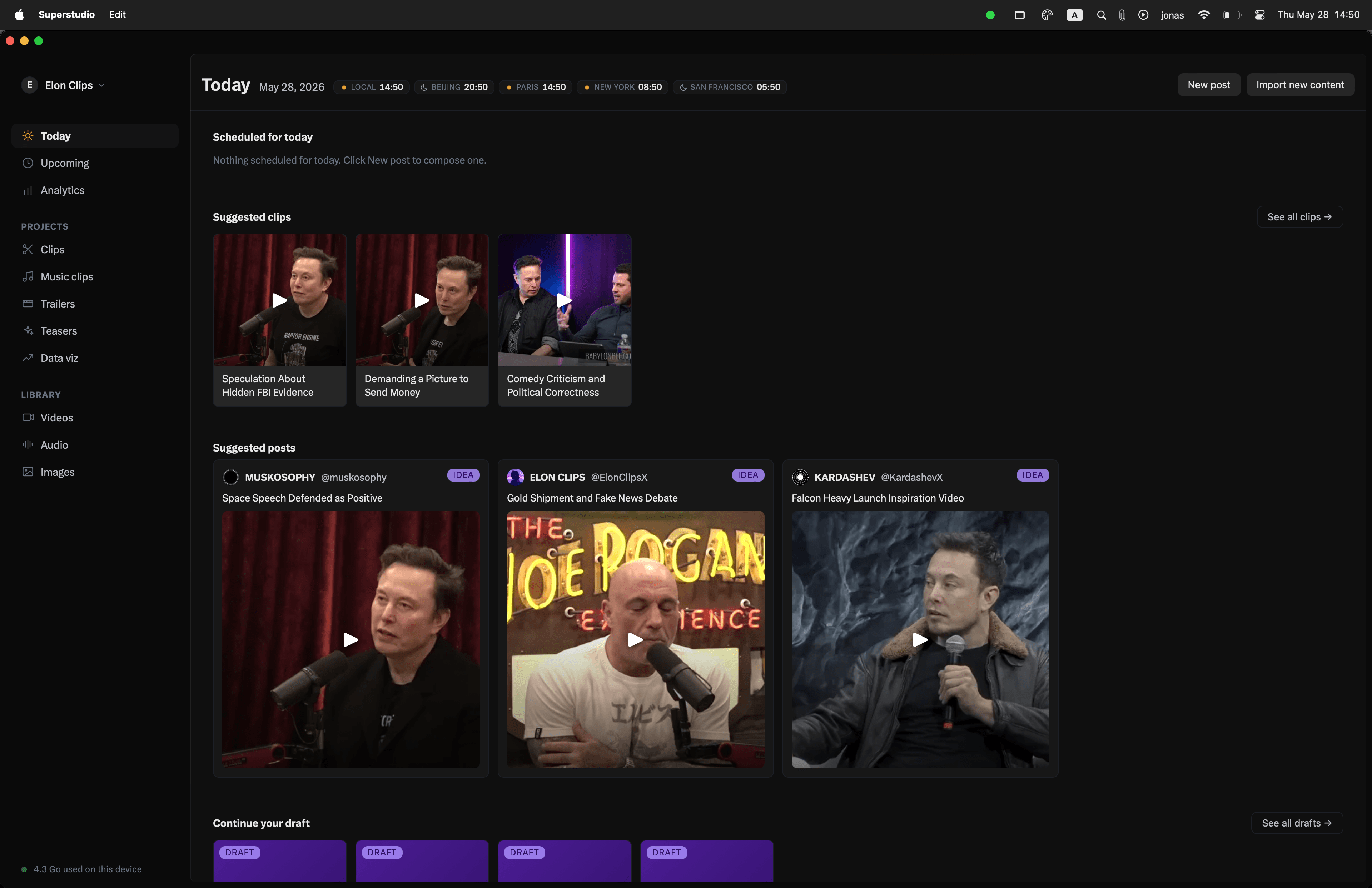
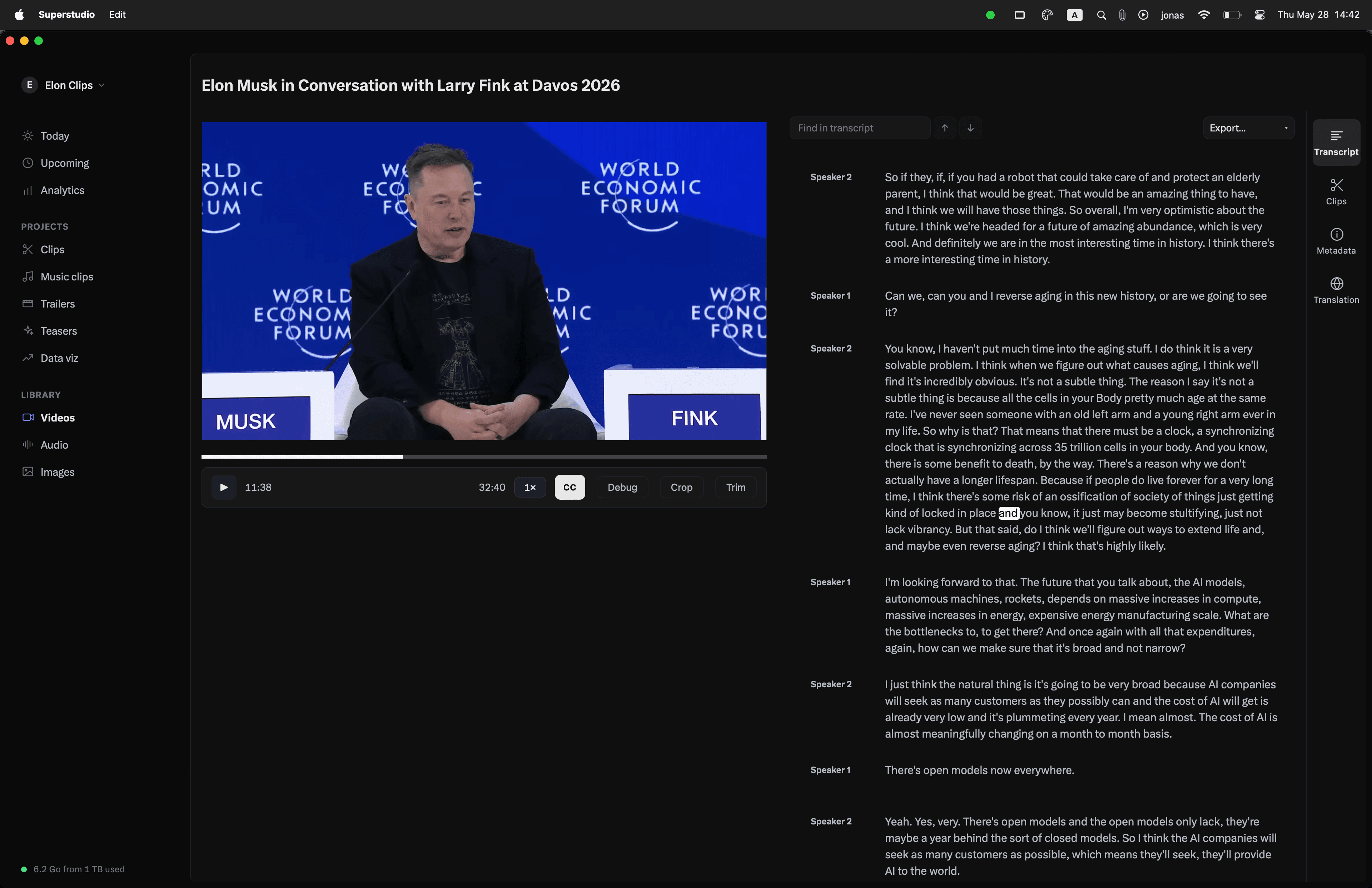
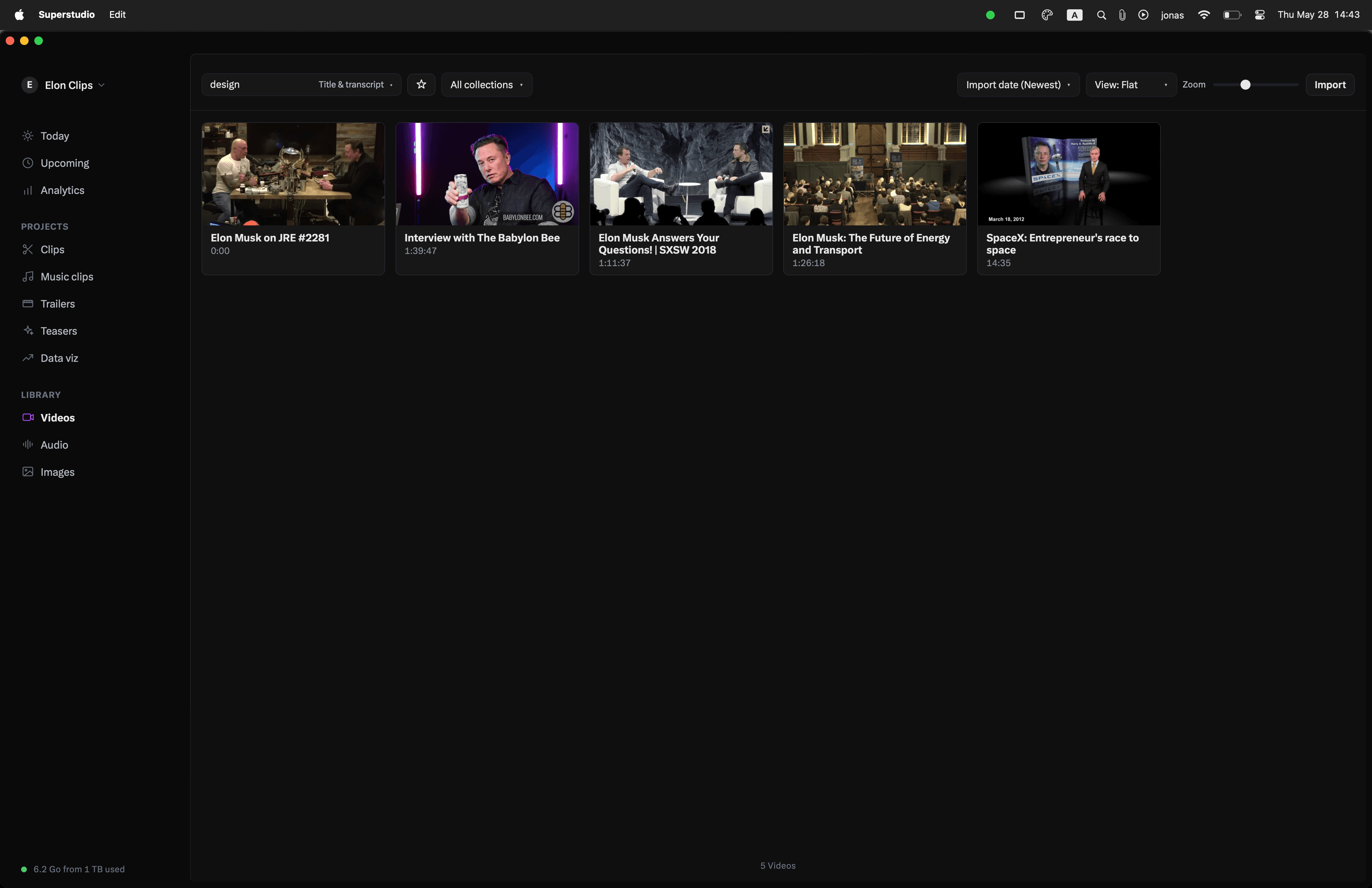
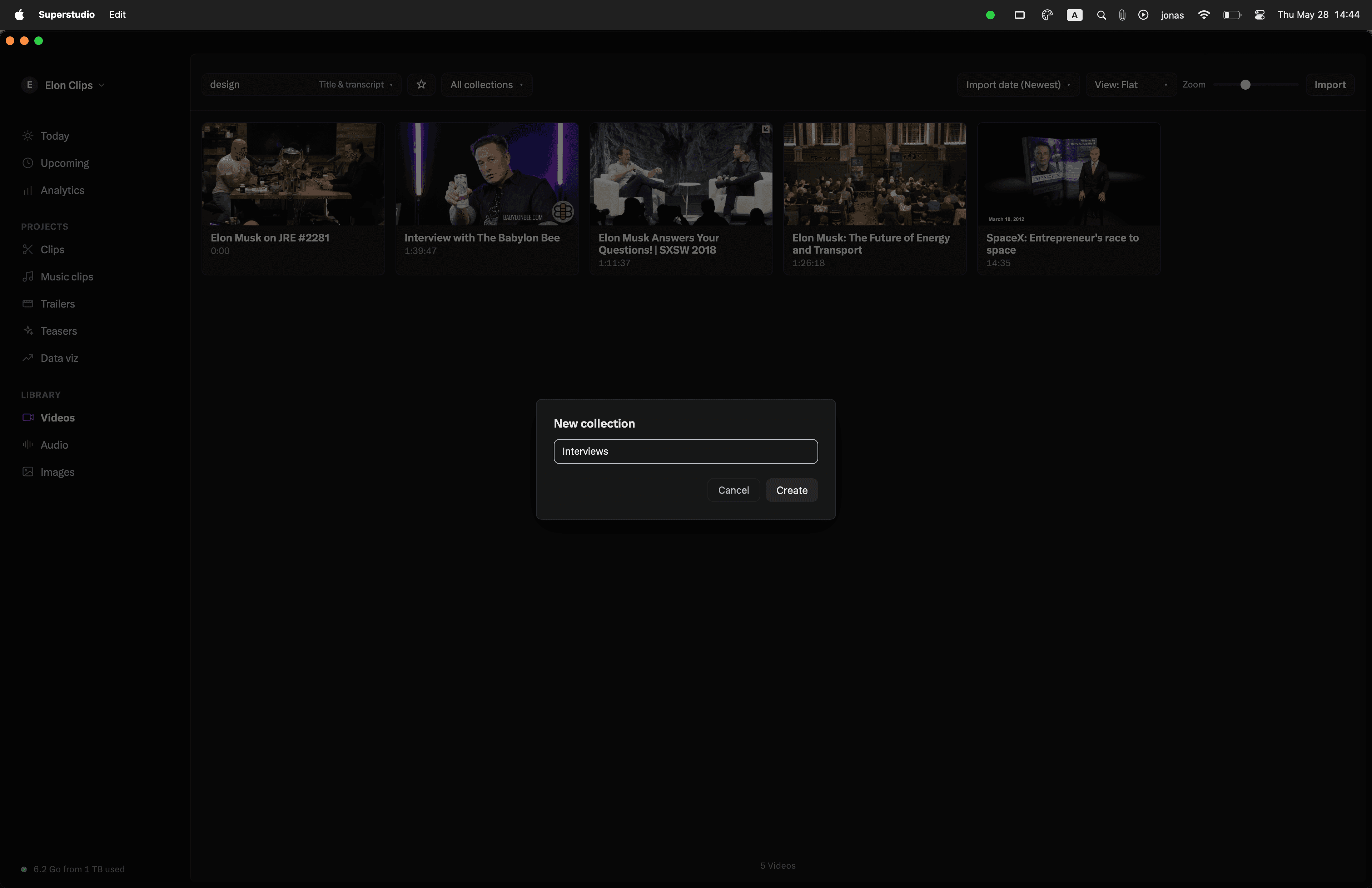
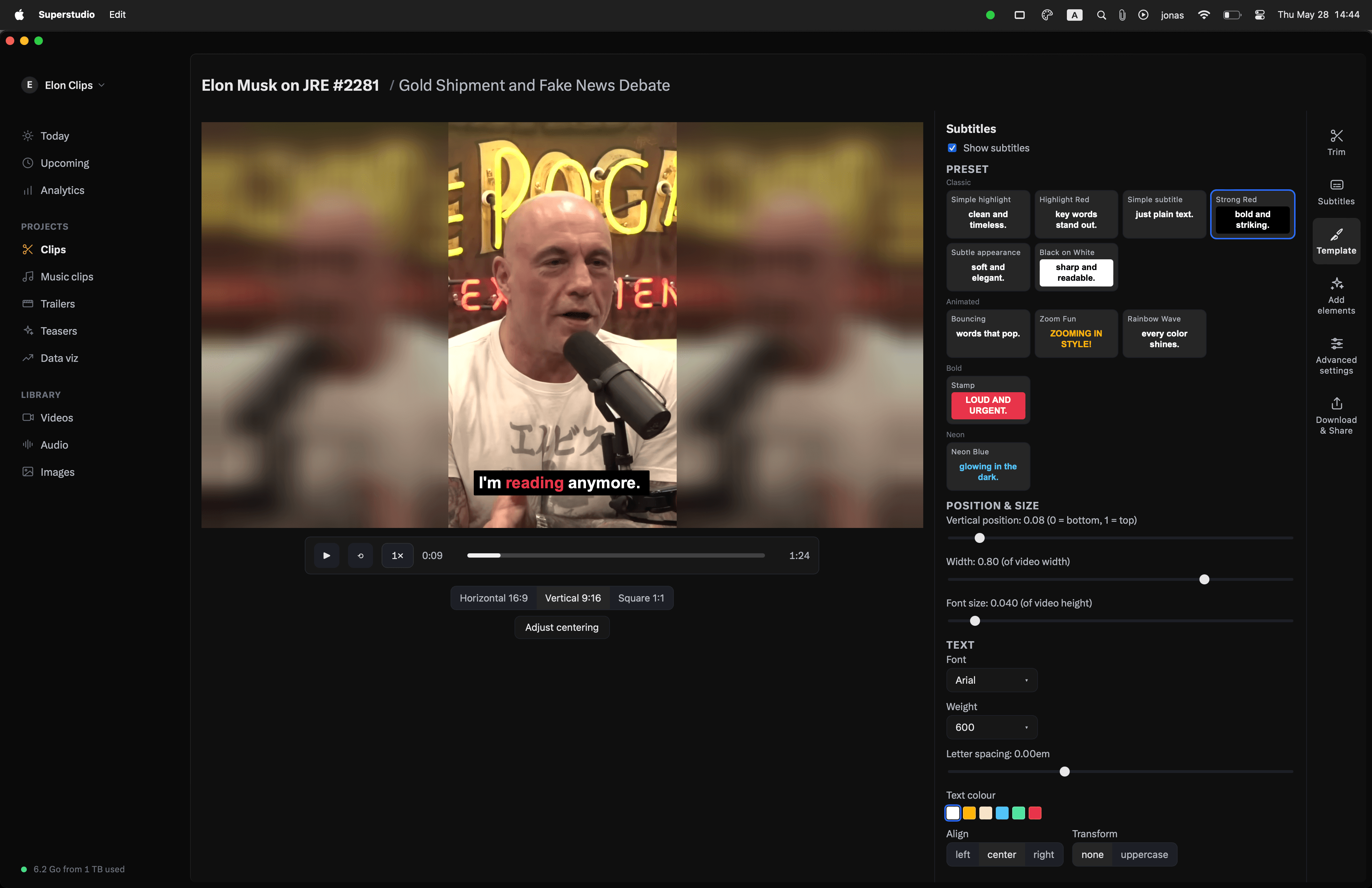
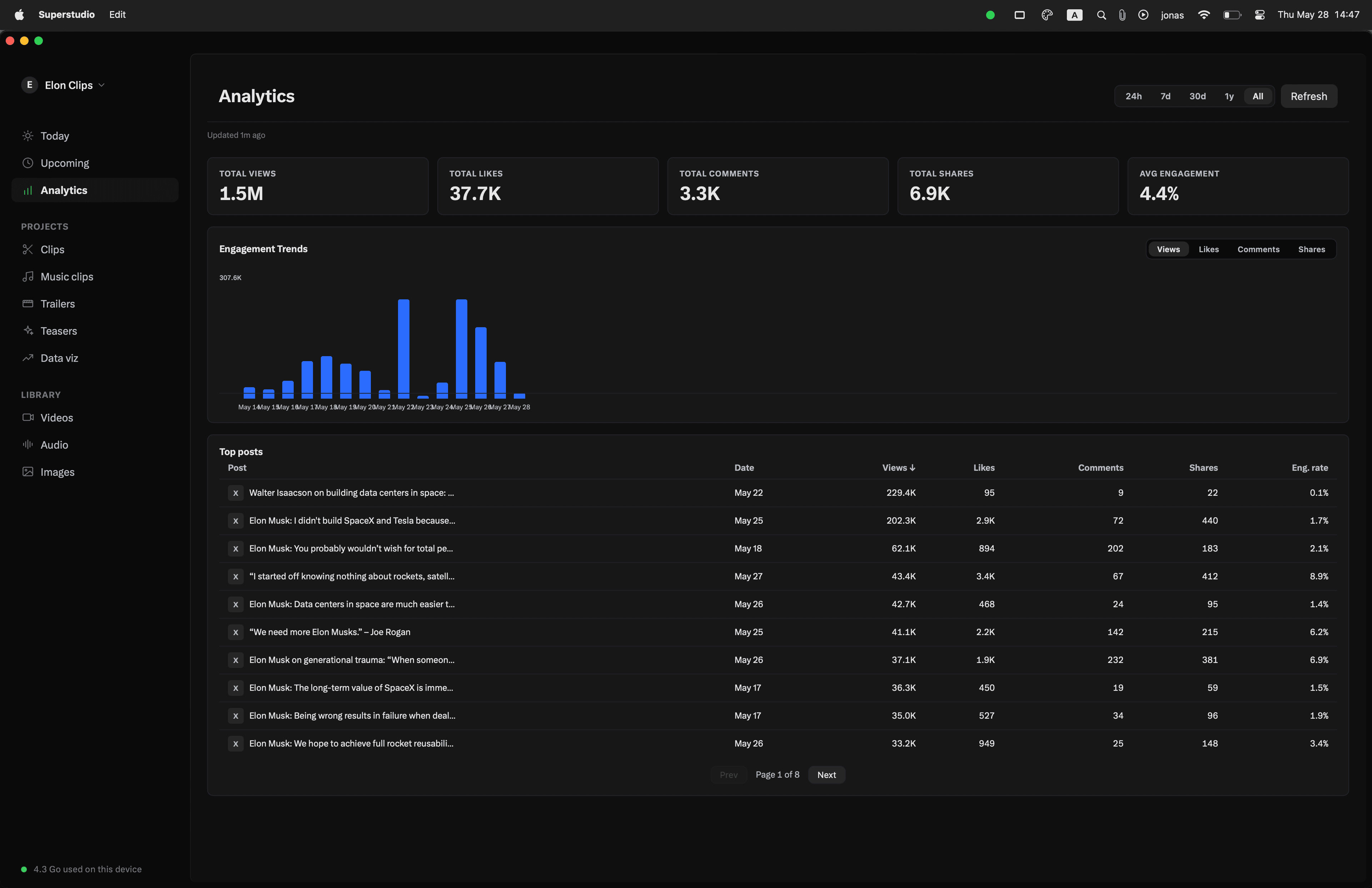
- AIWord-level subtitles, viral-clip detection, AI-written titles, post text, and subtitle translation — all run unmetered on every paid and free plan. No credits, no per-minute fees.
- LibraryOrganize assets per show, per client, or per campaign. Search every transcript across your workspace, jump to the exact second a word was said.
- Viral clipsThe autogen pass surfaces the best 30–90 second moments from a long video, so you don't have to scrub for them. Export each clip in horizontal, vertical, and square at once.
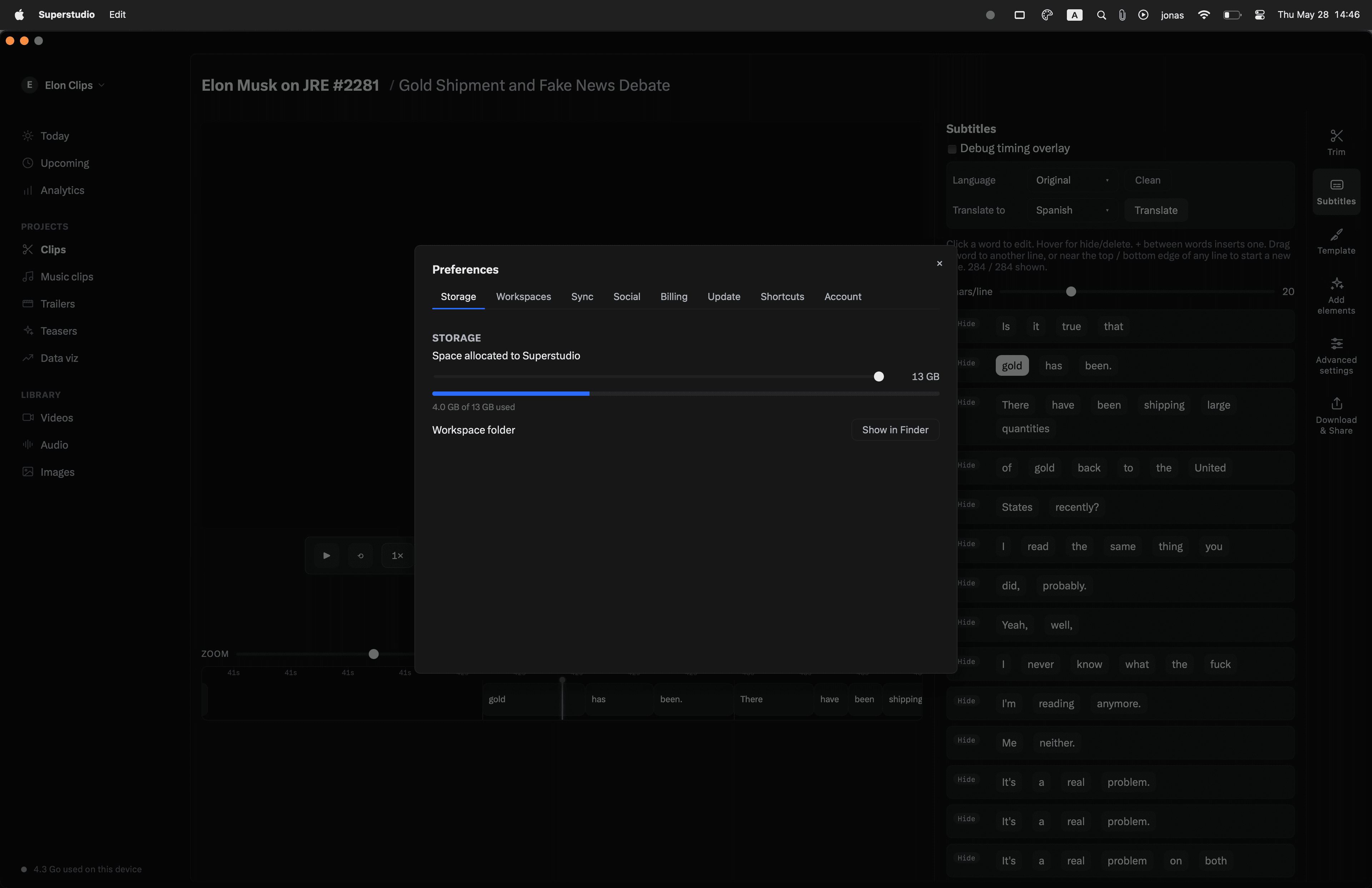
- StorageEvery imported original is mirrored to the cloud so it survives a Mac wipe. Offload videos off your SSD to free space — pull them back in seconds when you need them. The TB add-on stacks on top of the included quota.5 GB
- AIWord-level subtitles, viral-clip detection, AI-written titles, post text, and subtitle translation — all run unmetered on every paid and free plan. No credits, no per-minute fees.
- LibraryOrganize assets per show, per client, or per campaign. Search every transcript across your workspace, jump to the exact second a word was said.
- Viral clipsThe autogen pass surfaces the best 30–90 second moments from a long video, so you don't have to scrub for them. Export each clip in horizontal, vertical, and square at once.
- StorageEvery imported original is mirrored to the cloud so it survives a Mac wipe. Offload videos off your SSD to free space — pull them back in seconds when you need them. The TB add-on stacks on top of the included quota.200 GB
- AIWord-level subtitles, viral-clip detection, AI-written titles, post text, and subtitle translation — all run unmetered on every paid and free plan. No credits, no per-minute fees.
- LibraryOrganize assets per show, per client, or per campaign. Search every transcript across your workspace, jump to the exact second a word was said.
- Viral clipsThe autogen pass surfaces the best 30–90 second moments from a long video, so you don't have to scrub for them. Export each clip in horizontal, vertical, and square at once.
- StorageEvery imported original is mirrored to the cloud so it survives a Mac wipe. Offload videos off your SSD to free space — pull them back in seconds when you need them. The TB add-on stacks on top of the included quota.500 GB+$10 / TB add-on
- Social mediaCompose, schedule, and publish from inside the editor — no exporting to another tool. Three connections included; add four more for $2/mo each.+$2 / 4 extra connections
- AIWord-level subtitles, viral-clip detection, AI-written titles, post text, and subtitle translation — all run unmetered on every paid and free plan. No credits, no per-minute fees.
- LibraryOrganize assets per show, per client, or per campaign. Search every transcript across your workspace, jump to the exact second a word was said.
- Viral clipsThe autogen pass surfaces the best 30–90 second moments from a long video, so you don't have to scrub for them. Export each clip in horizontal, vertical, and square at once.
- StorageEvery imported original is mirrored to the cloud so it survives a Mac wipe. Offload videos off your SSD to free space — pull them back in seconds when you need them. The TB add-on stacks on top of the included quota.1 TB+$10 / TB add-on
- Social mediaCompose, schedule, and publish from inside the editor — no exporting to another tool. Three connections included; add four more for $2/mo each.+$2 / 4 extra connections
- CollaborateShared workspace with role-based access — editors, reviewers, viewers. The first five seats are included on Team; add more for $2/mo per seat.5 users included+$2 / user
Pricing per workspace.
Pricing per workspace.
The whole pipeline.
One Mac app.
Import once. Superstudio handles the rest — from scene detection to scheduled posts.
Face-tracking auto-crop
Scene-level analysis with face detection picks the crop window for every shot, so the speaker stays centered when you go vertical.
Word-perfect subtitles
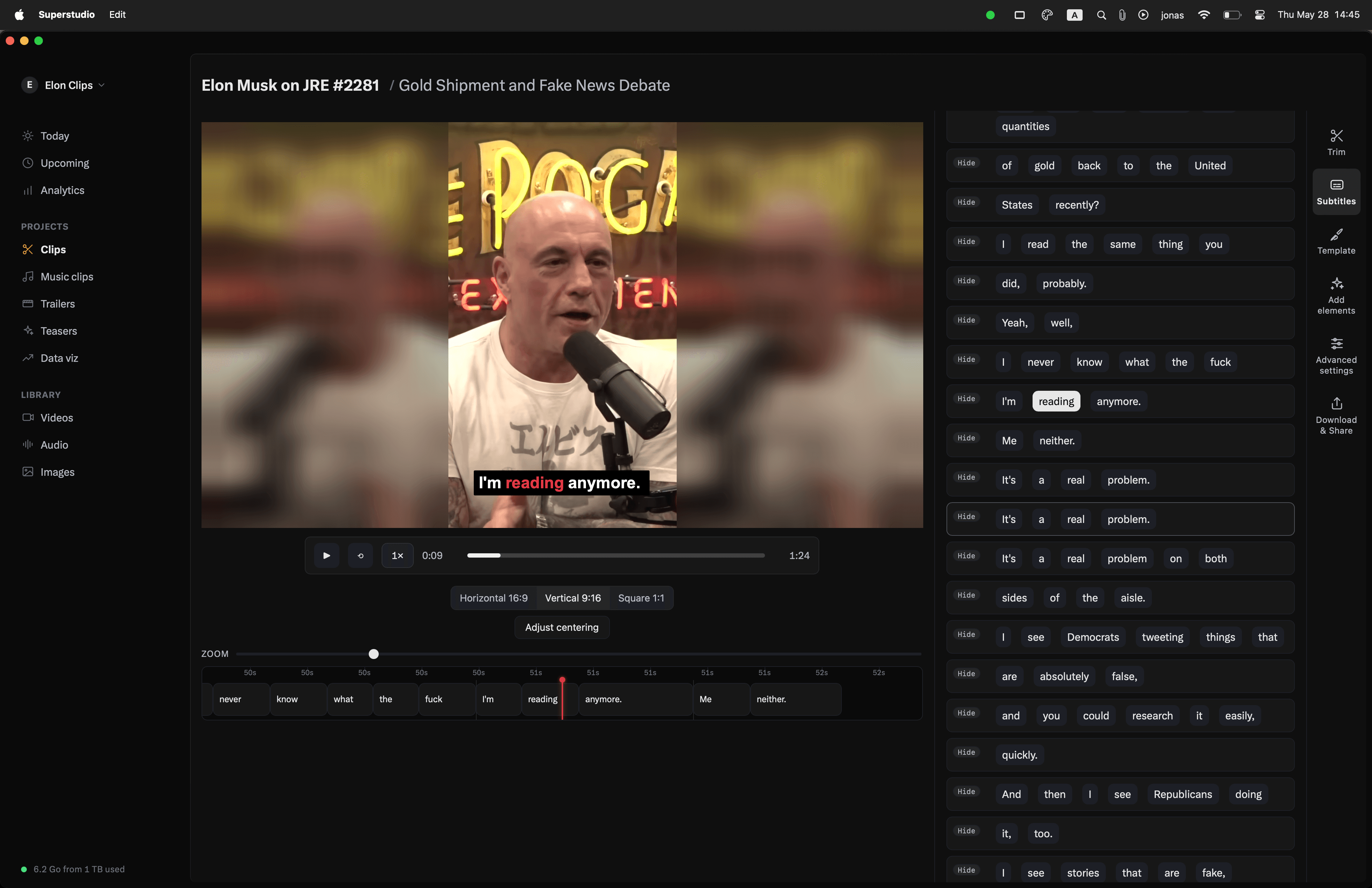
Word-level transcription timing. Style your captions once — Superstudio bakes them into every export.
AI-written titles & metadata
AI reads the transcript and proposes titles, descriptions, and post text. Edit or accept in one click.
Viral clip suggestions
The AI surfaces the best 30–90 second moments from a long video so you don't have to scrub for them.
One-language and translated cuts
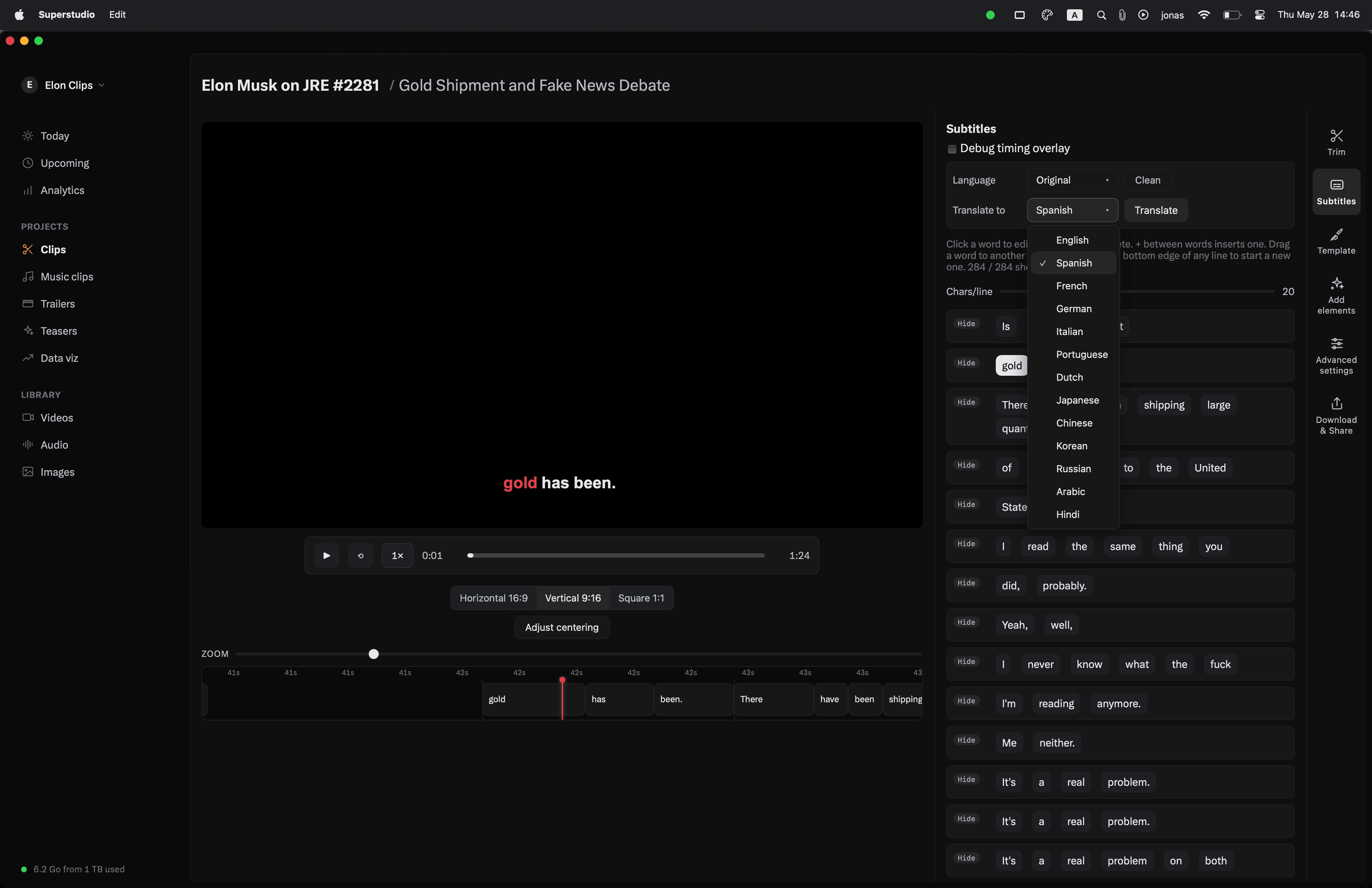
Generate translated subtitle tracks and export language-specific clips alongside the original.
Compose and schedule
Schedule posts to X, Instagram, YouTube, and TikTok from inside the editor.
Search every transcript
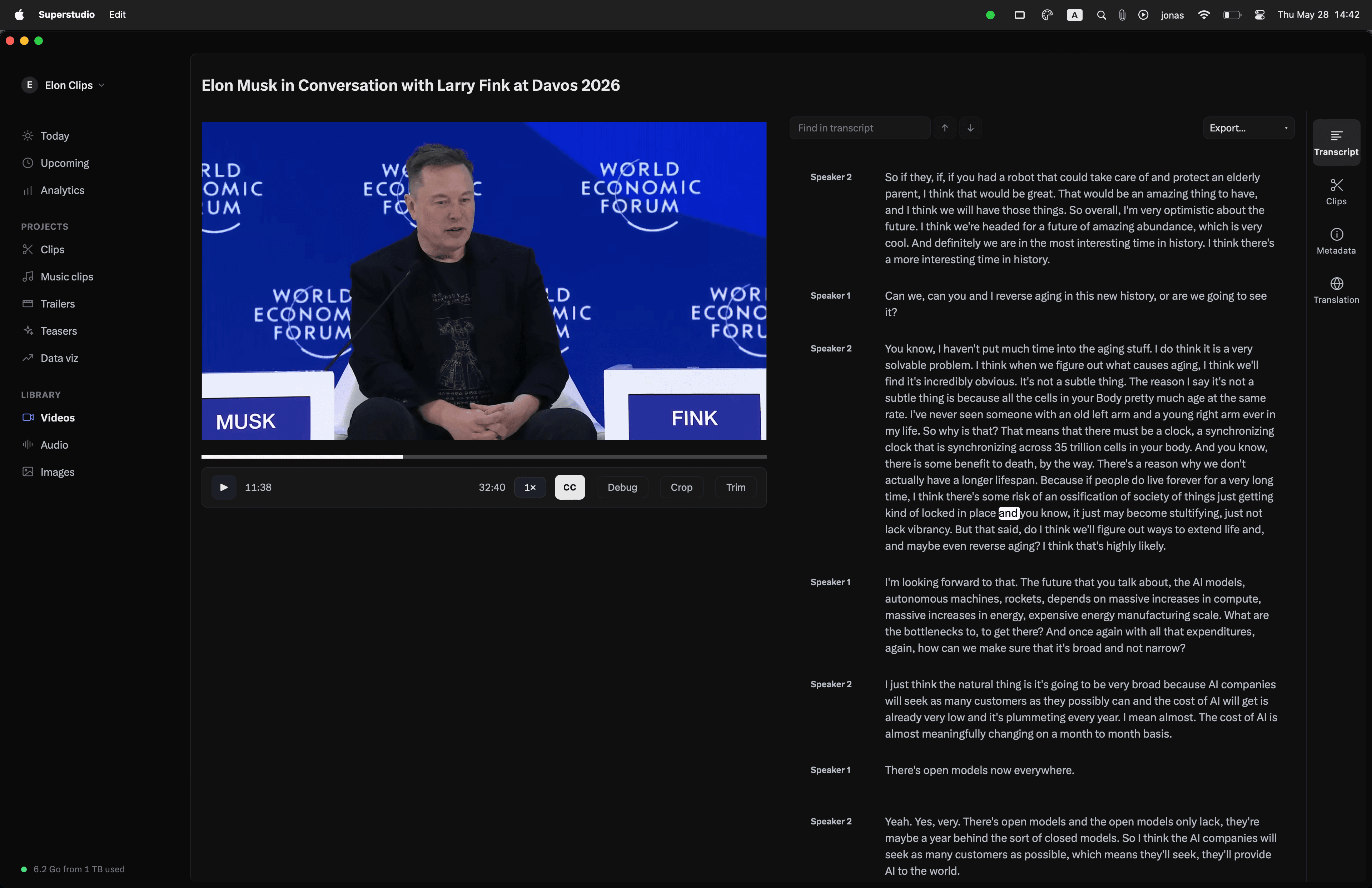
Every imported video is fully transcribed and indexed. Type a phrase, jump straight to the second it was said — across your whole library.
Offload
Every original is mirrored to the Superstudio cloud. Offload them off your local hard drive — pull them back instantly when you need them. You don't have to store everything locally.
Workspaces for every project
Keep clients, shows, and side-projects in separate workspaces. Each one has its own library, transcripts, and collections.
Collaborate
Invite editors and clients into a shared workspace.
Collections
Group clips, originals, and exports into collections — per show, per campaign, per release — and keep everything tied to the project it belongs to.
Sync with iOS
Capture on your phone, edit on your Mac. The iOS companion syncs your library, clips, and drafts both ways. Coming soon.
Built in Rust.
Super small. Super fast.
Superstudio ships as a ~47 MB universal binary. It's Mac native — cold launches are instant, even on older Macs.
- Install size
- ~47 MB
- Architecture
- Apple Silicon + Intel
- Min macOS
- 13 Ventura
- Built with
- Rust